
Opex can automatically send email notifications to staff members who are authorised to approve requisitions. These notifications can be sent as frequently as required, ensuring approvers are informed whenever requisitions are awaiting their approval.
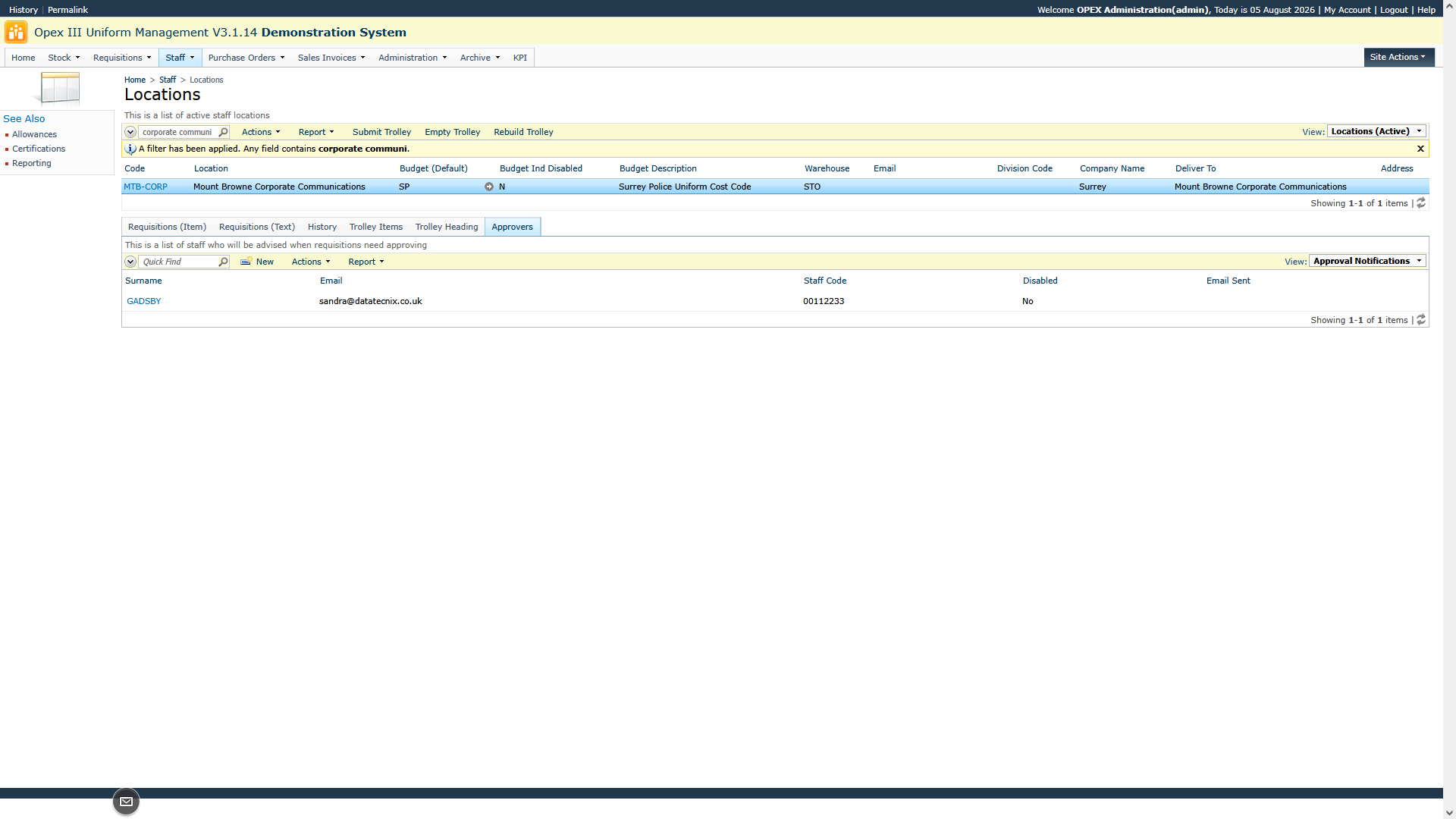
To configure this feature, go to Staff > Locations and select the required location, station, or department. Open the Approvals tab, select New, and add the staff member(s) authorised to approve requisitions for that location. All staff members added to the Approvals list for that location will automatically receive approval notification emails.
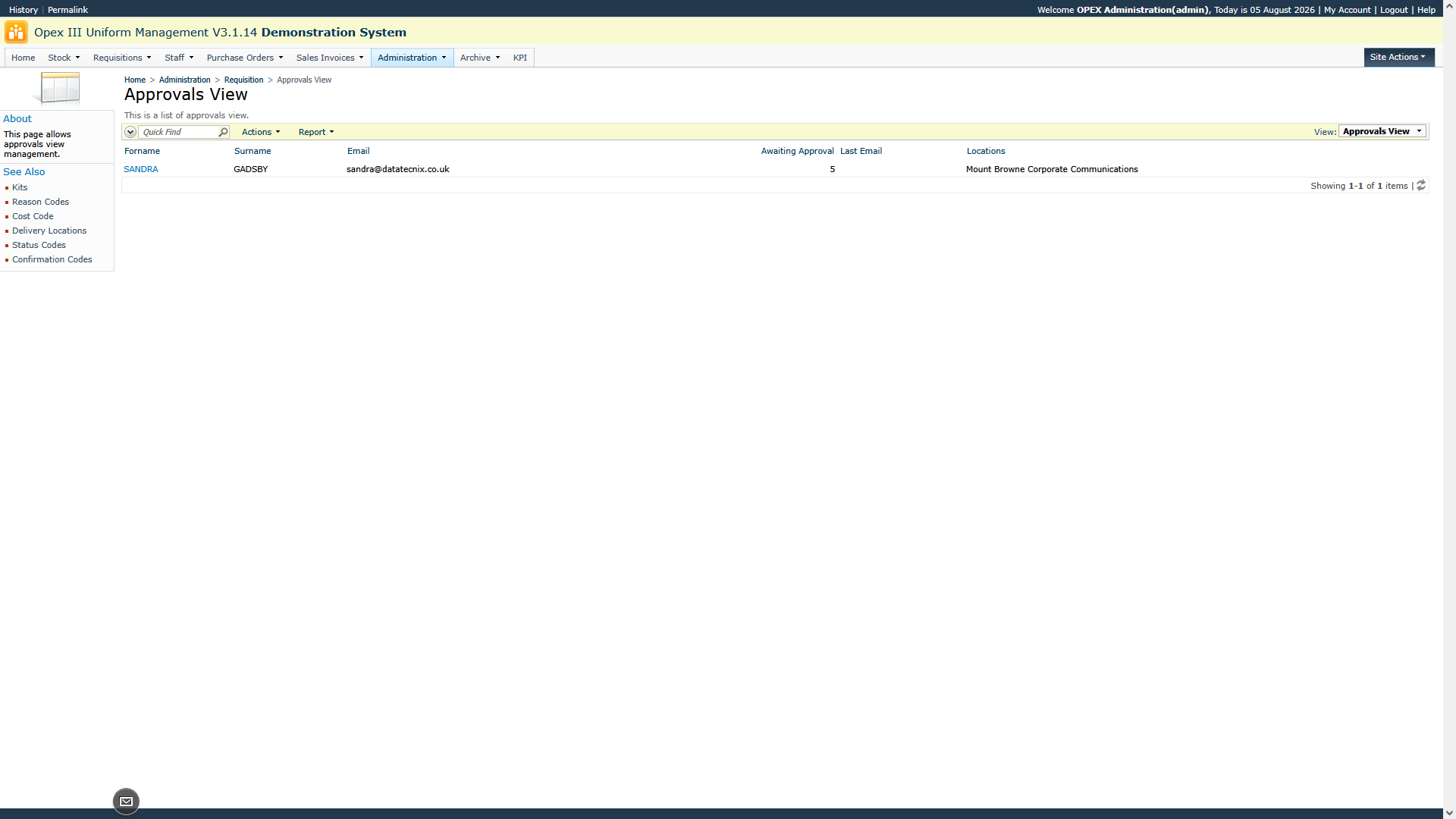
A list of all requisitions currently awaiting approval can be viewed by going to Administration > Requisitions > Approvals View. This screen displays the outstanding requisitions assigned to each approver and also provides the option to manually send approval notification emails.
The content of the approval notification email can be customised by Datatecnix using the RQ Email Message Approval parameter.